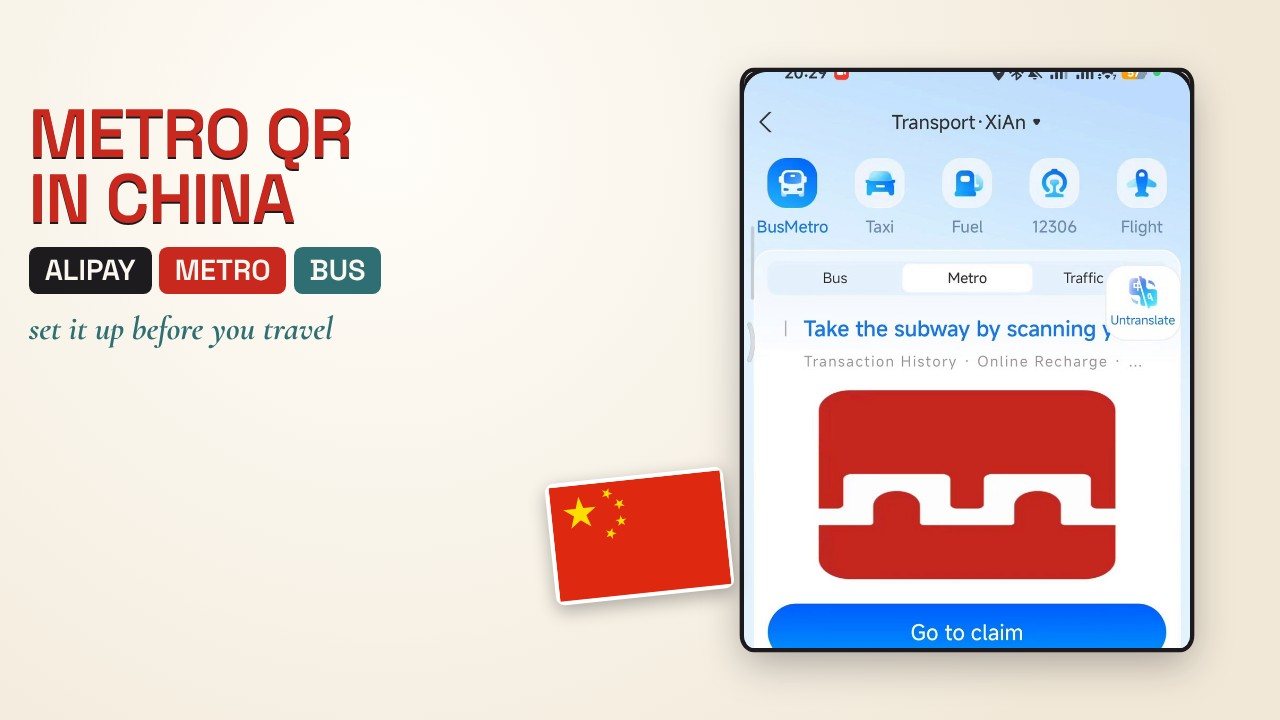
The Alipay metro QR code is the code you hold over the gate to ride the metro or bus in a Chinese city. This guide shows how I added it on my own phone, from Ireland: where Transport is, how to pick the city, how to claim the free card, and what to do when the QR code is for the wrong city.
The screenshots are frames from my own screen recording. The facts about how it is charged come from the official Alipay+ documentation and are marked official. Things I could not confirm are marked as such. Checked on 18 October 2026.
Quick answers
How do I add the metro QR code in Alipay?
Open Alipay, tap Transport, pick your city, tap Bus & Metro, tap Agree and obtain card, then enter your Alipay payment password. When you see Card collected successfully, tap Use now to open the QR code.
Do I need a different QR code for each city?
Yes. One third-party guide says each city needs its own ride code and that activating Beijing's does not cover Shanghai. Pick the city, claim its card, and repeat when you move on.
Is the Alipay metro card free, and how do I pay?
The card screen I used said Free card. The official Alipay+ documentation describes a ride first, pay later model: the fare is deducted after you exit a station or leave a vehicle, from the payment method linked to your wallet. Fares themselves differ by city, so I give no price.
Why does the gate not open with my QR code?
The usual causes are the wrong city selected, or using the shop payment code instead of the Transport code. Switch the city at the top left of the Alipay home screen. If it still fails, buy a single-journey ticket at the machine. The Alipay+ documentation says the ticket machines in every mainland metro station accept Alipay.
Can I set it up before I fly?
It worked on my phone in Ireland for a city I have not reached yet. One third-party guide says some users abroad see an empty Transport tab and may need to activate on arrival, so test it at home and have a plan for when you land.
The 8 steps, in order
- 1
Set up Alipay at home first
The metro QR code lives inside your Alipay account, so the account has to work first: identity check, a linked bank card and your payment password. The steps are in my China travel apps guide. One third-party guide says the account needs a linked foreign card and identity verification before the transit feature works. I did not find an official Alipay page that lists the requirements for visitors, so follow what your own app asks for.
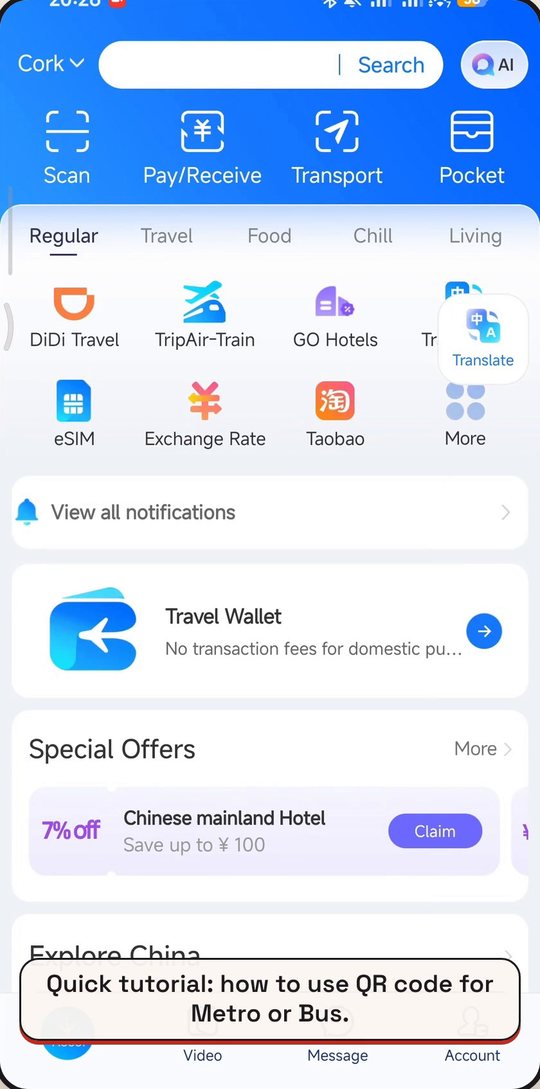
Transport is in the top row of the Alipay home screen. Frames from my own screen recording of Alipay. Tap a picture to open it larger.
- 2
Open Alipay and tap Transport
On the Alipay home screen, Transport is in the top row, next to Scan, Pay/Receive and Pocket. This is not the same thing as the payment code you show in a shop. A third-party guide warns that the shop payment QR does not open a metro gate, so it has to be the Transport code.
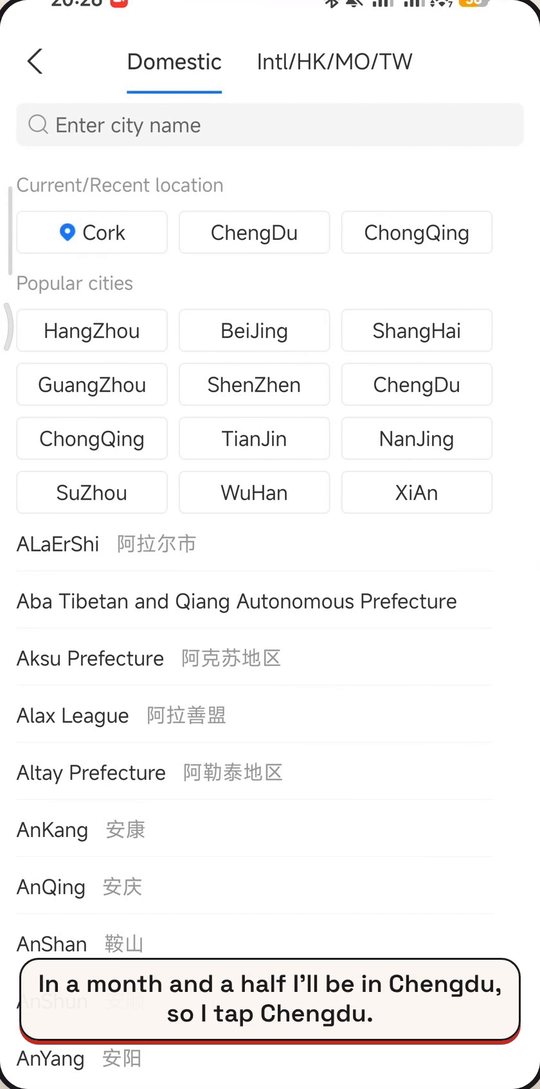
Pick the city you are going to. Frames from my own screen recording of Alipay. Tap a picture to open it larger.
- 3
Pick the city you are going to
My Alipay was set to Cork. I am going to Chengdu in a month and a half, so I opened the city list and tapped Chengdu. Each city has its own code: another guide says activating Beijing's does not cover Shanghai. Pick the city you are about to ride in, and repeat for each city you visit.
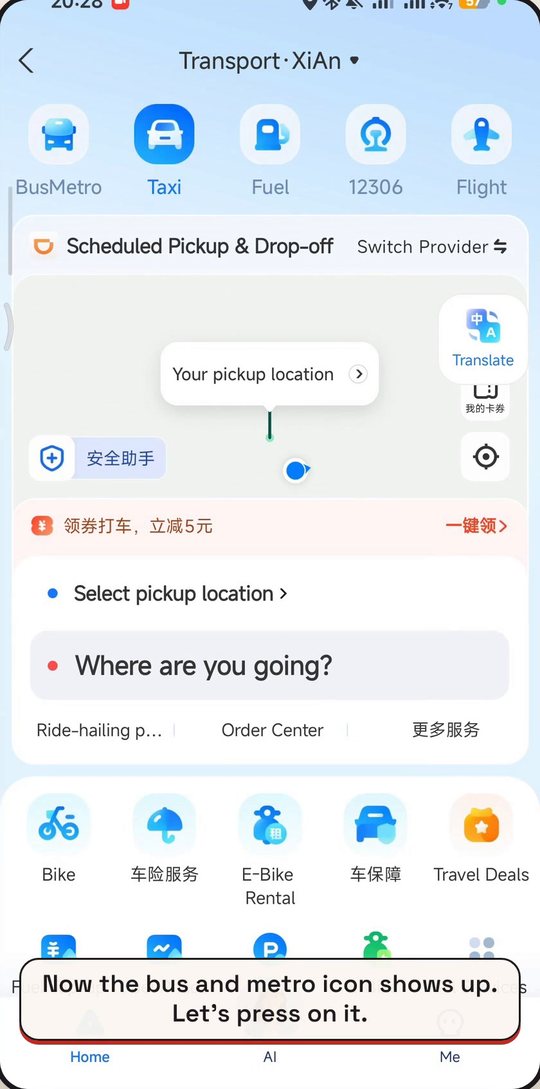
After picking the city, the BusMetro icon shows up. Frames from my own screen recording of Alipay. Tap a picture to open it larger.
- 4
Tap Bus & Metro
Back on the Transport tab, the Metro card was not showing yet, only Taxi and a map. After the city was set, the BusMetro icon appeared in the top row. Tap it. Parts of the page are in Chinese, so the floating Translate button is useful. If the translation seems stuck, be patient, it can take a moment.
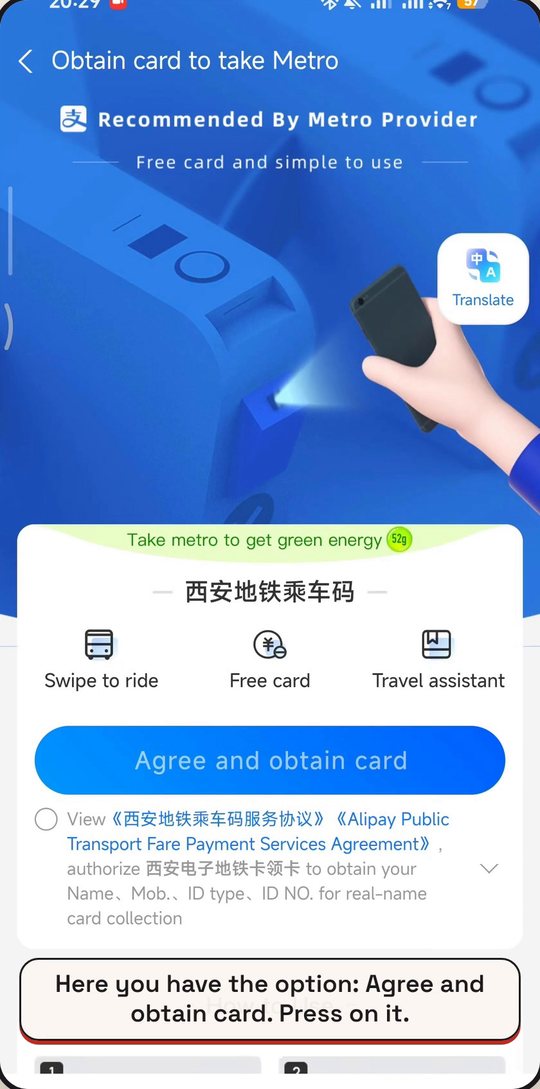
Agree and obtain card. The card is free. Frames from my own screen recording of Alipay. Tap a picture to open it larger.
- 5
Tap Agree and obtain card
The next screen is called Obtain card to take Metro, and it names the metro provider for that city. The screen says Free card. The agreement is in Chinese. Read it with Translate before you tap the blue Agree and obtain card button. The official Alipay+ documentation says the fare is taken after your ride, from the payment method you have linked, on a ride first, pay later basis.
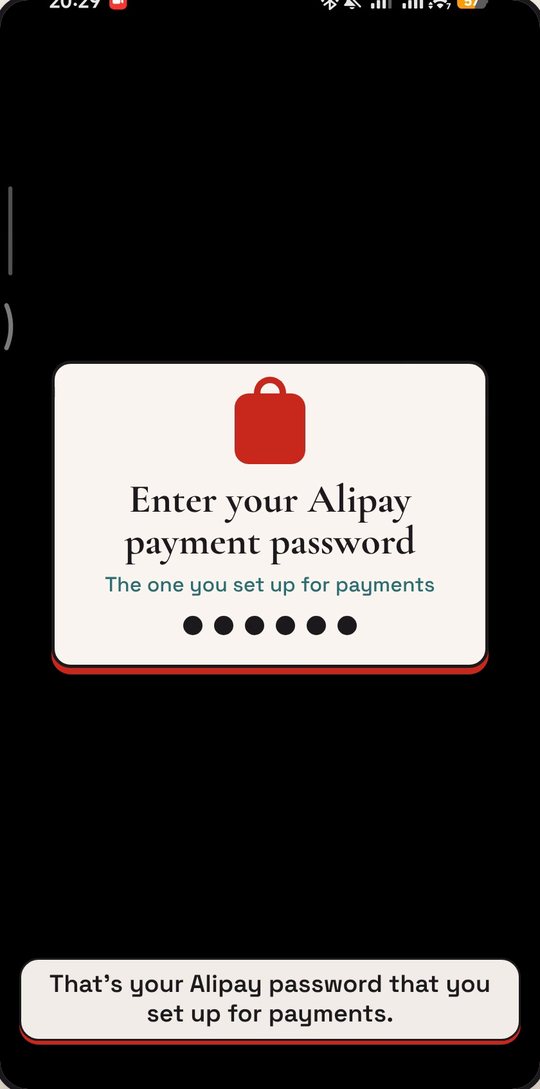
The password screen goes black on a recording, so this notice stands in for it. Frames from my own screen recording of Alipay. Tap a picture to open it larger.
- 6
Enter your Alipay payment password
Alipay asks for the payment password you set up for paying. This is the password screen that goes black when you record the screen, which is why my video shows a notice instead. Type it on your own phone, in private.
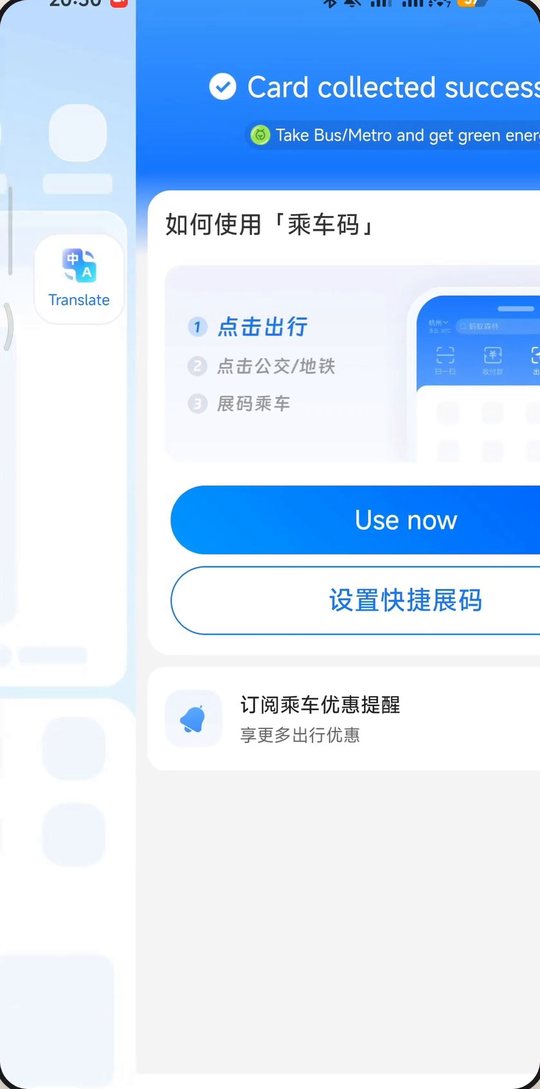
Card collected. Tap Use now to open your QR code. Frames from my own screen recording of Alipay. Tap a picture to open it larger.
- 7
Card collected: tap Use now to open the QR code
When it works you get Card collected successfully and a Use now button, and Use now takes you to your QR code. The same Bus & Metro card idea applies to buses and to any city you add; I also added another city the same way, and there is an option on the screen to activate all available transports. At the gate, hold the code over the reader. Two third-party guides say to turn the screen brightness up and hold it steady for a second or two. At a bus reader, scan before you go in.
- 8
If the QR code is for the wrong city, switch the city
If the code does not match the city you are standing in, the gate will not open. Tap the city name at the top left of the Alipay home screen and choose the right one. A guide updated on 14 October 2026 calls a wrong city selection a common reason codes fail. If a gate still refuses you, step aside and buy a single-journey ticket at the machine, and keep a little cash for buses.
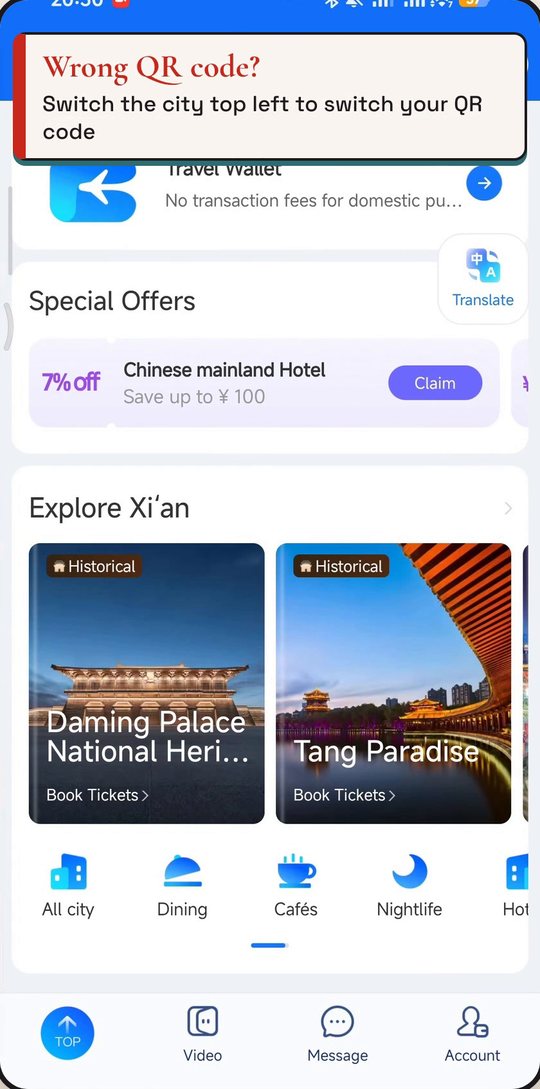
Wrong QR code? Switch the city at the top left. Frames from my own screen recording of Alipay. Tap a picture to open it larger.
Rules change. Everything here was checked on 2026-10-18 against the sources below. Before you fly, open the official page once more.
Sources
- Alipay+ Docs: Cross-border public transport, product introduction (official)
- Alipay+ Docs: Transport Code FAQs (official)
- Chinavigators: How to use Alipay transit codes for China metros (updated 18 March 2026)
- UnlockChina: How to pay for the metro in China as a foreigner (19 July 2026)
- LocalKey Travel: China metro for foreigners (updated 14 October 2026)