

On this page
Pinduoduo is a big Chinese shopping app, and on my phone it is all in Chinese. I used it through WeChat, with my phone translating the screen for me, and I ordered from Ireland. This guide follows one real order on my own phone. Every screenshot has a red box on the exact thing to tap and a number for the order to tap it in.
The part people skip is the heart. Tap it on any product to save it, then find all your saved items in your profile under Product Favorites. That is how I compared things before I paid.
It is a close cousin of Taobao. If you have not used either, my Taobao guide covers the address and delivery side in more detail.
Quick answers
How do I get my Pinduoduo order in one box?
My tip is to buy everything from one seller. Check the seller's store for other things you need and add them to the same order, so your items can be packed together instead of arriving in many separate packages. I only show one order here, so look at your own checkout to see how it is split.
Is Pinduoduo available in English?
Not on my phone. The app was in Chinese, and the English in my screenshots is my phone's translation of the screen. Check what your own app offers, because I did not find an official language list.
Can I search Pinduoduo in English?
Yes, it worked for me. I typed dji nano accessories and got results. For anything you cannot read, use Live Text on an iPhone or Circle to Search on Android.
How do I save a product on Pinduoduo?
Tap the heart on the product page. It then says Saved. Your saved products are under Personal Center, then Product Favorites.
Where do I find the things I saved?
Open Personal Center at the bottom right, then tap Product Favorites. On my phone, every product I had hearted was listed there, and I could tick the ones I wanted and go to checkout from that list.
How did you pay on Pinduoduo?
With Weixin Pay, which is WeChat Pay. It was ticked on my checkout screen and I tapped Pay immediately. Set up your card in WeChat Pay before you fly.
Where do I see my order afterwards?
In Personal Center, on the My orders row. Orders are sorted by status, such as pending payment, pending shipment and awaiting receipt.
Is Pinduoduo the same as Taobao?
Not the same company, but similar. I have used both, and to me Pinduoduo is a cheaper version of Taobao. I only show one Pinduoduo order here, so I do not compare prices.
The 9 steps, in order
Screenshots from my own phone, recorded on 4 November 2026. The app is in Chinese and the English is my phone's translation. The red boxes and numbers are mine. Tap a picture to open it larger.
Open WeChat, tap Discover, then Mini Programs
Pinduoduo opened for me inside WeChat, as a mini program, so there was nothing extra to install. In WeChat tap Discover at the bottom, then Mini Programs. First-hand: the app is in Chinese on my phone. The English you see in these screenshots is my phone's own translation, so your wording may differ a little.
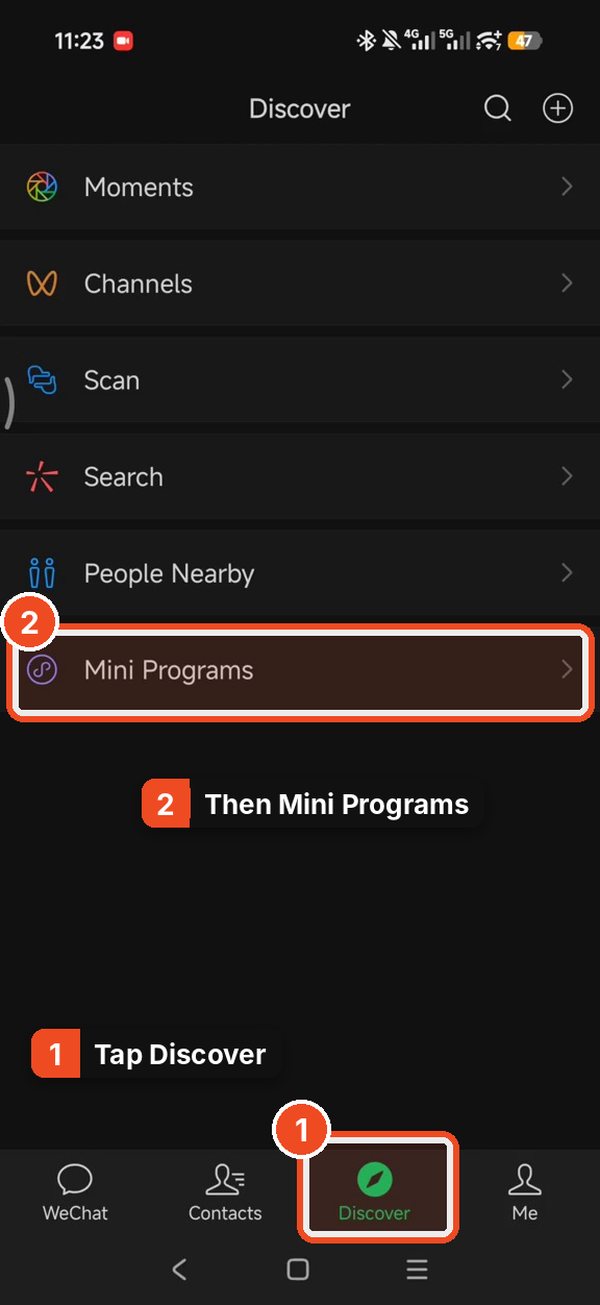
1. Tap Discover, then 2. Mini Programs. Tap Pinduoduo, or search for it
If you have used it before, Pinduoduo (拼多多) sits under Recently Used: tap it. If it is not there, tap the search box, type pindu and tap the first result, which has the red Pinduoduo icon.
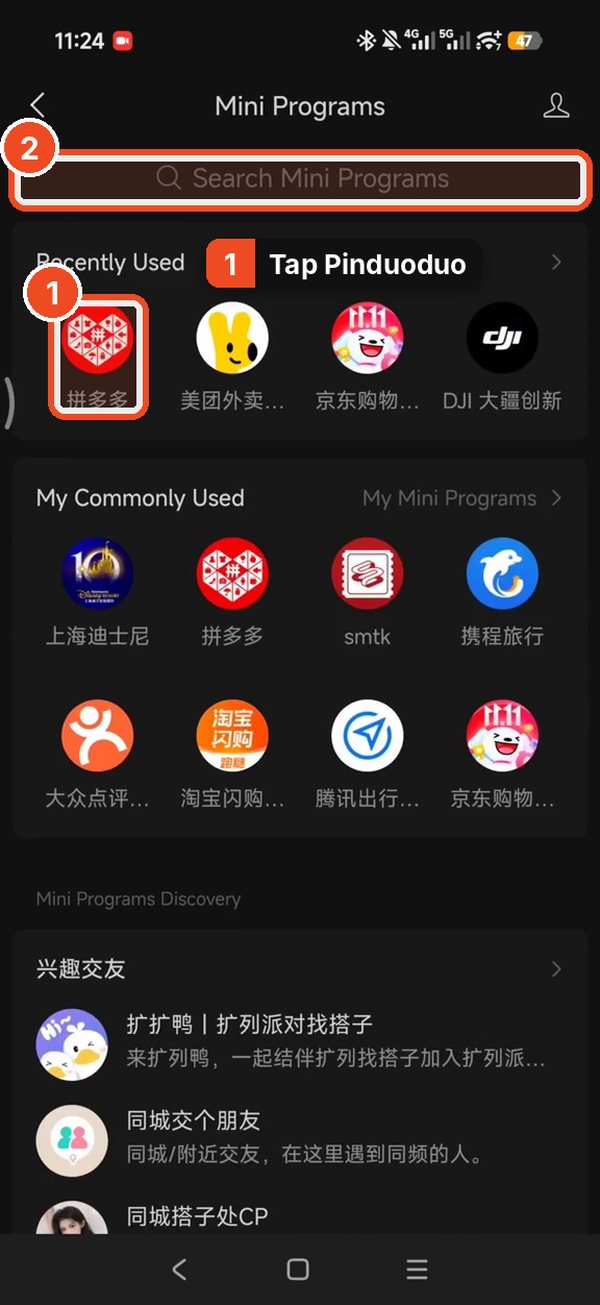
1. Tap Pinduoduo under Recently Used. 2. Or search for it. 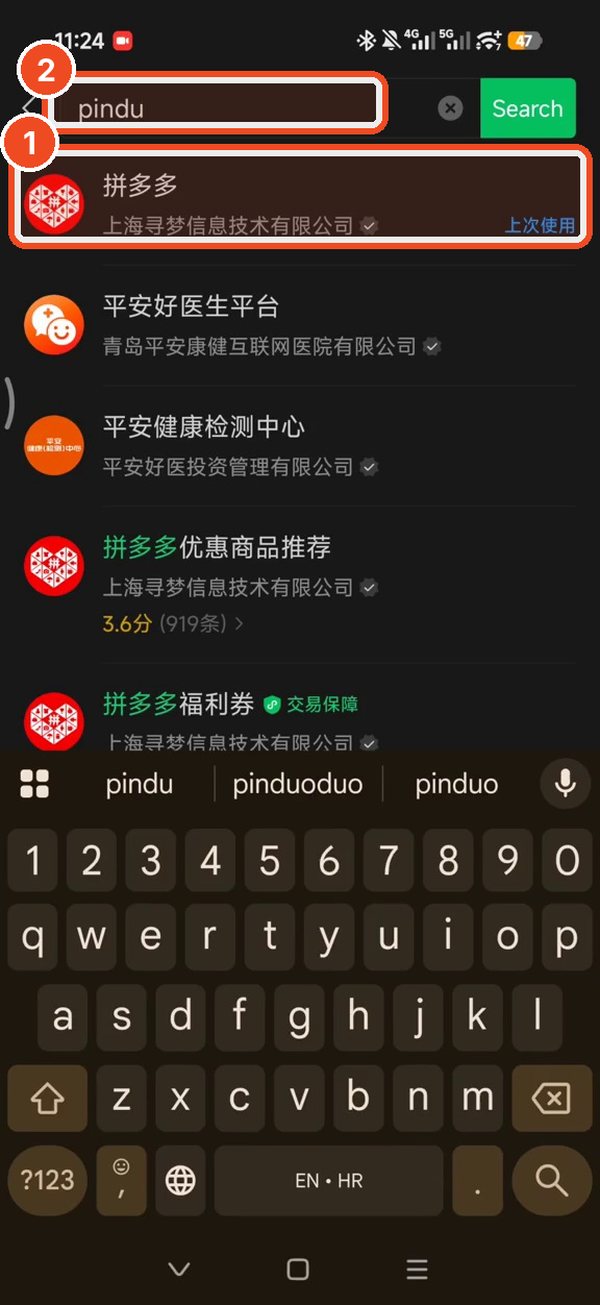
1. Type pindu. 2. Tap the first result. Tap the search bar and type in English
On the Pinduoduo home screen tap the search bar at the top. I typed my search in English (dji nano accessories) and tapped Search, and it gave me results. If a result is not in a language you read, use your phone's own translation, such as Live Text on an iPhone or Circle to Search on Android.
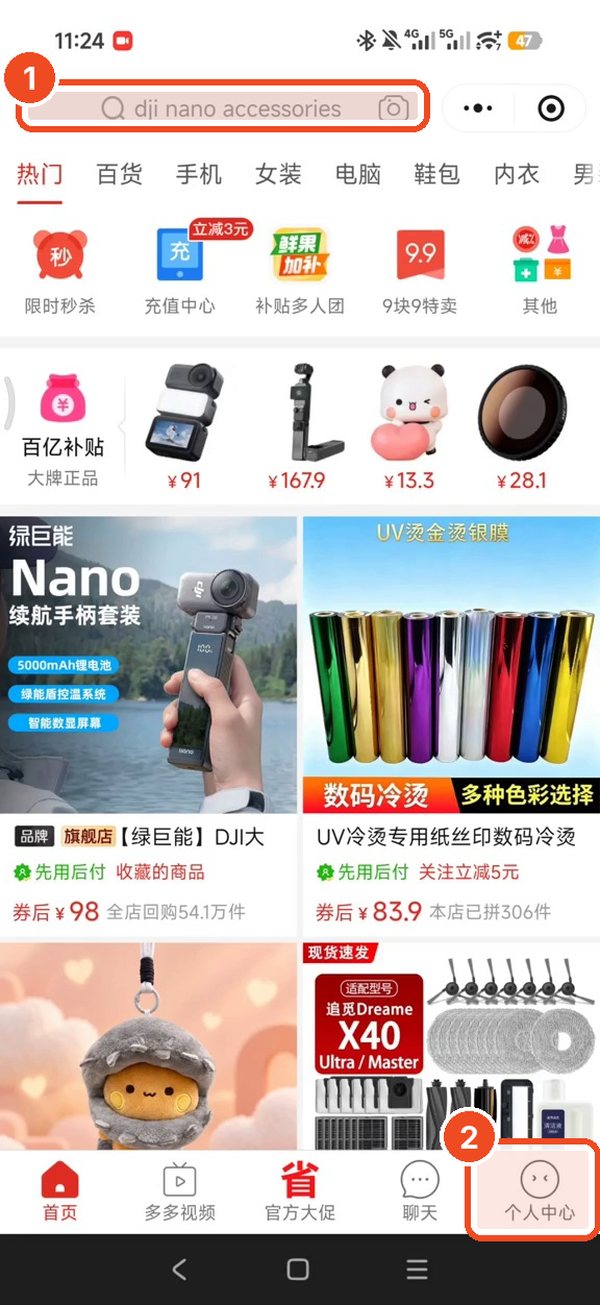
Tap the search bar at the top. 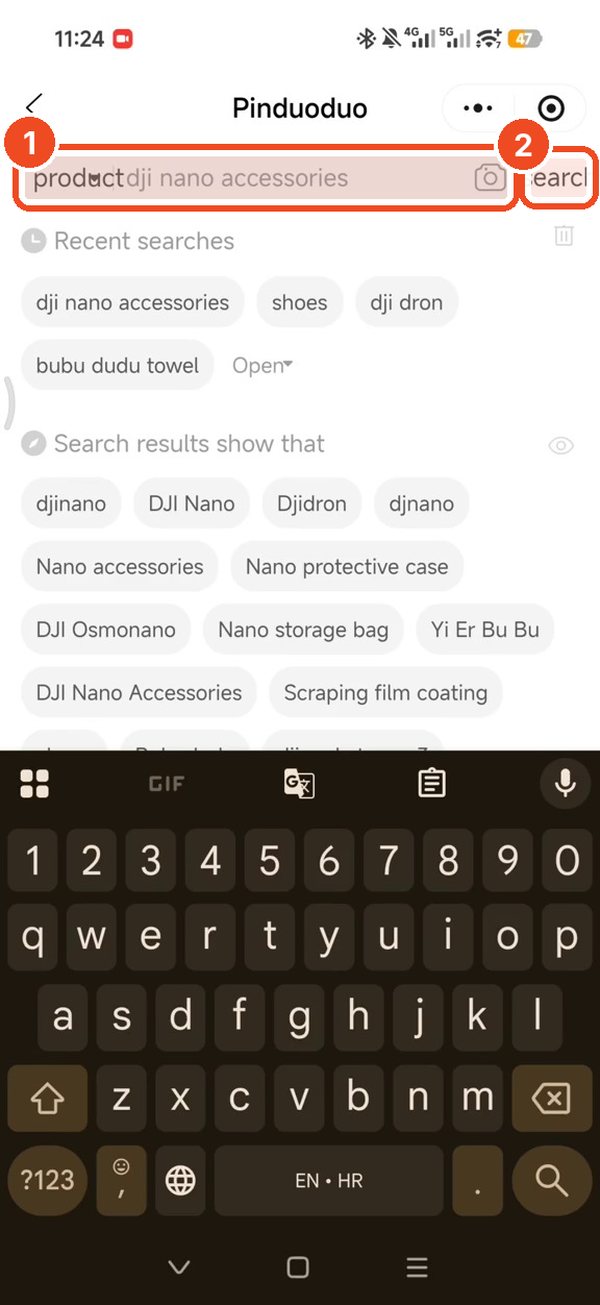
1. Type in English. 2. Tap Search. Open a product and choose your options
Tap a product, then choose the options, for example the colour and the battery capacity. Read the option names with your phone's translation before you choose, because the picture and the option name do not always match. When you are happy, tap the red determine button at the bottom.
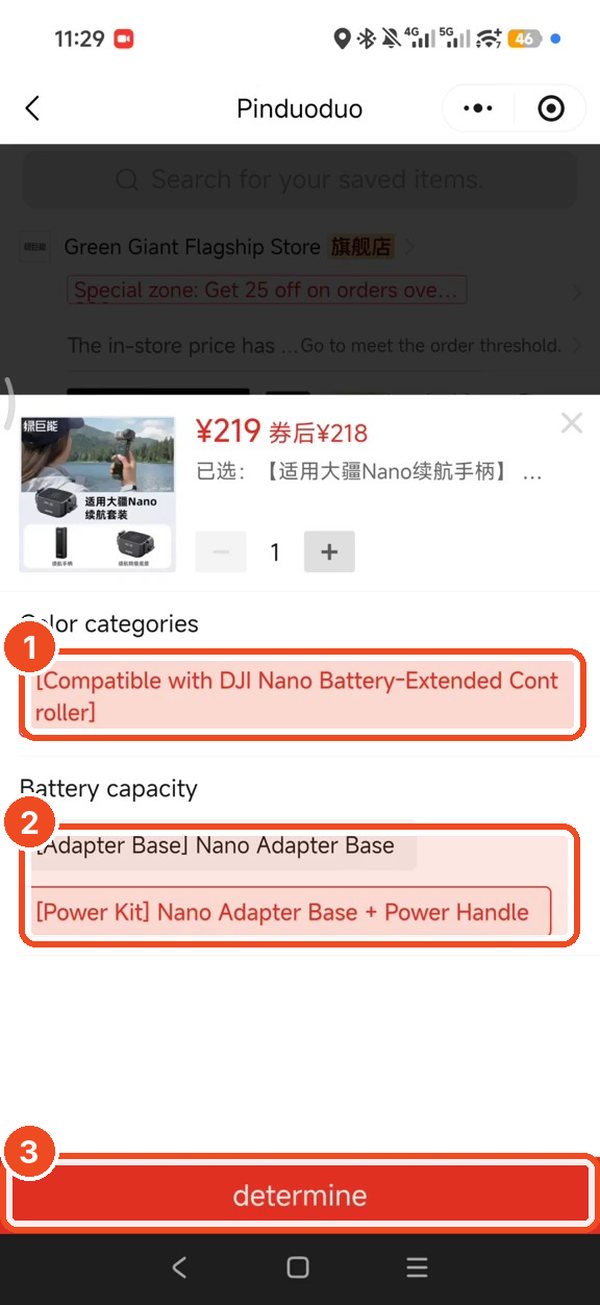
1 and 2. Pick your options. 3. Tap determine. Tap the heart to save things for later
This is the step I found most useful. On a product page, tap the heart at the bottom left of the bar. It changes to Saved. Save a few products from different sellers, and compare them calmly afterwards instead of buying the first thing you see.
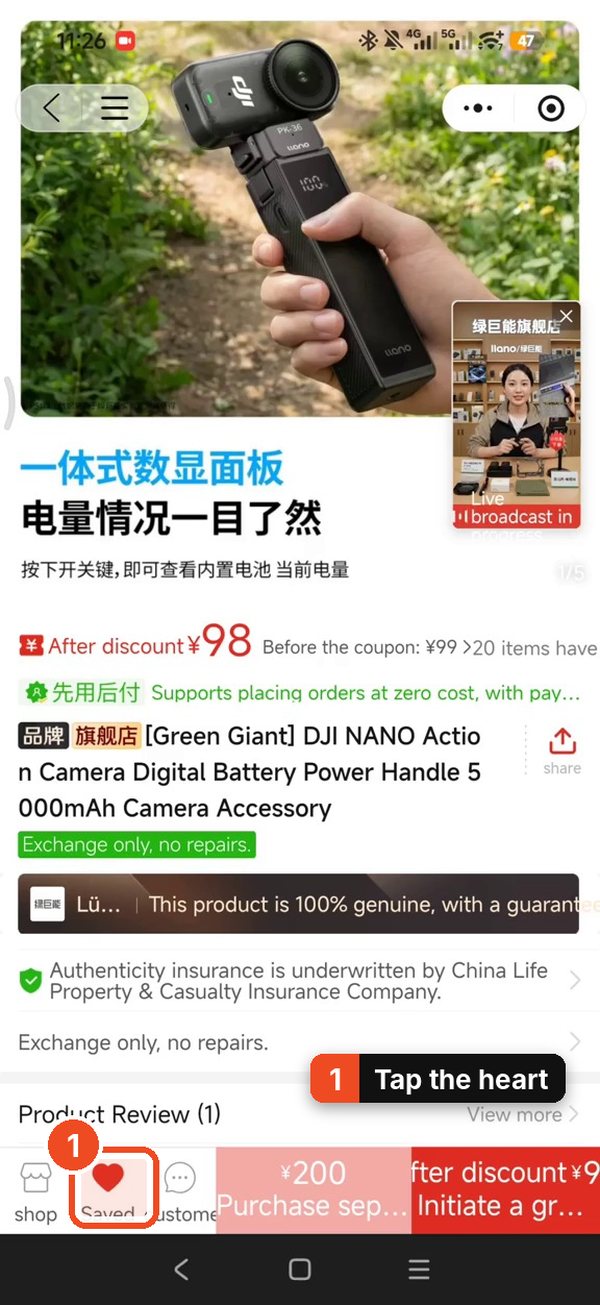
Tap the heart to save the item. Find everything you saved in your profile
Go back to the Pinduoduo home screen and tap Personal Center, bottom right. This is your profile page. Tap Product Favorites and every product you tapped the heart on is in one list.
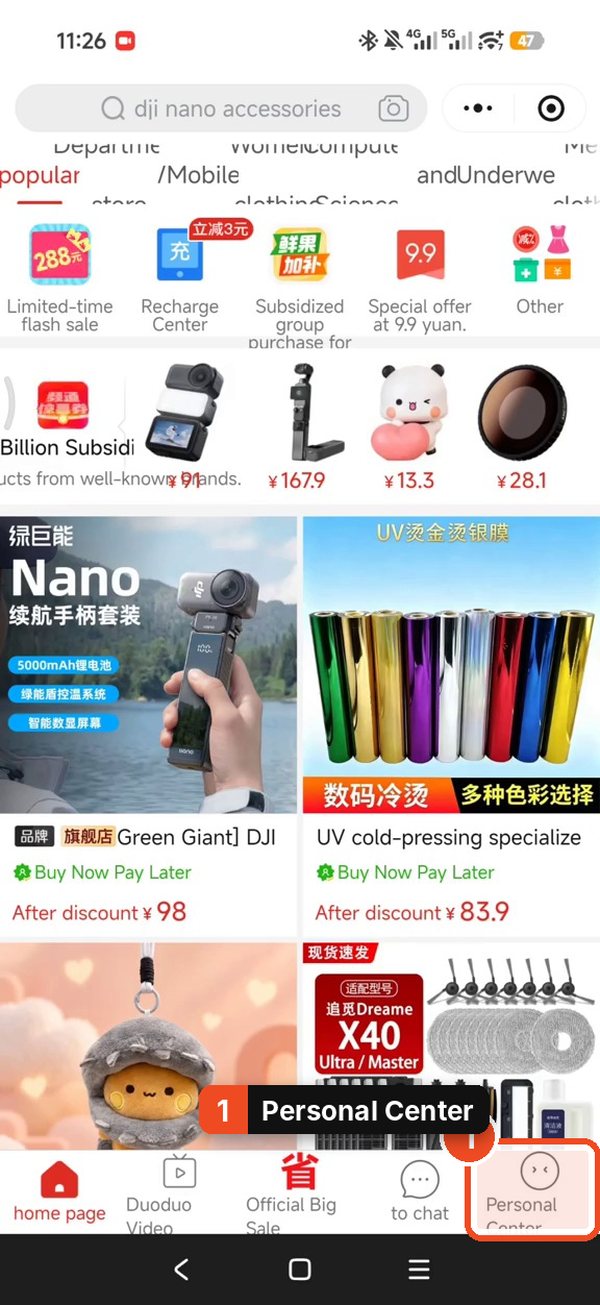
Tap Personal Center, bottom right. 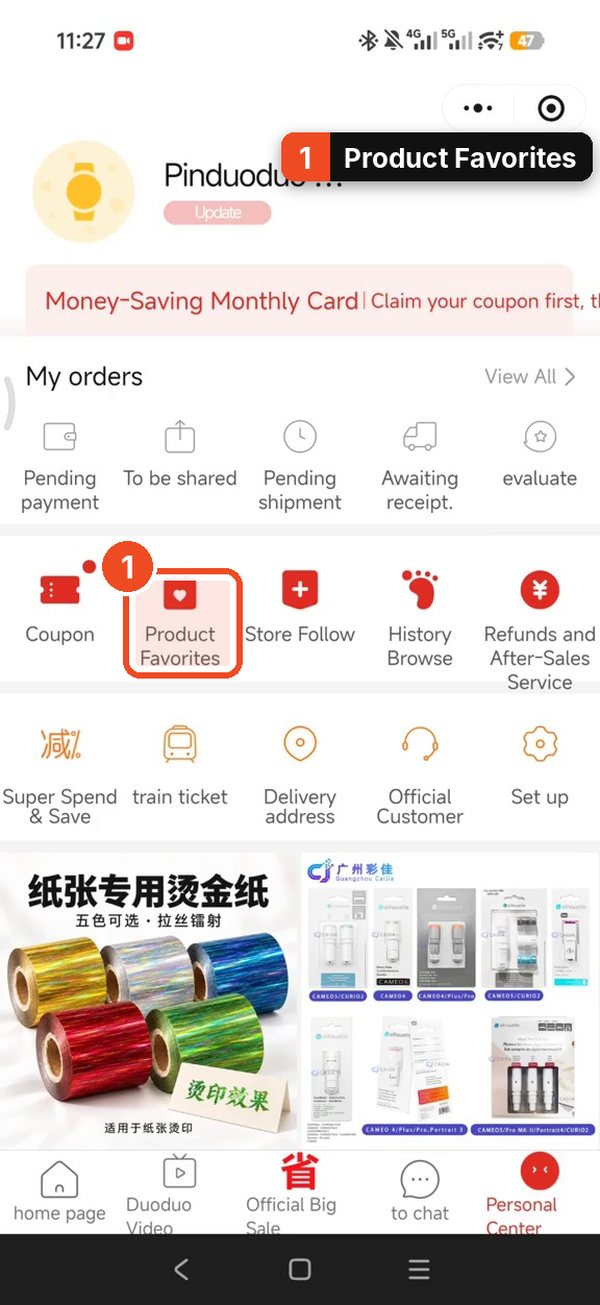
Tap Product Favorites to see everything you saved. Tick the items and tap Proceed to checkout
In the list, tick the circle next to each item you want to buy now, then tap Proceed to checkout at the bottom right. The total and any discount shown at the bottom update as you tick.
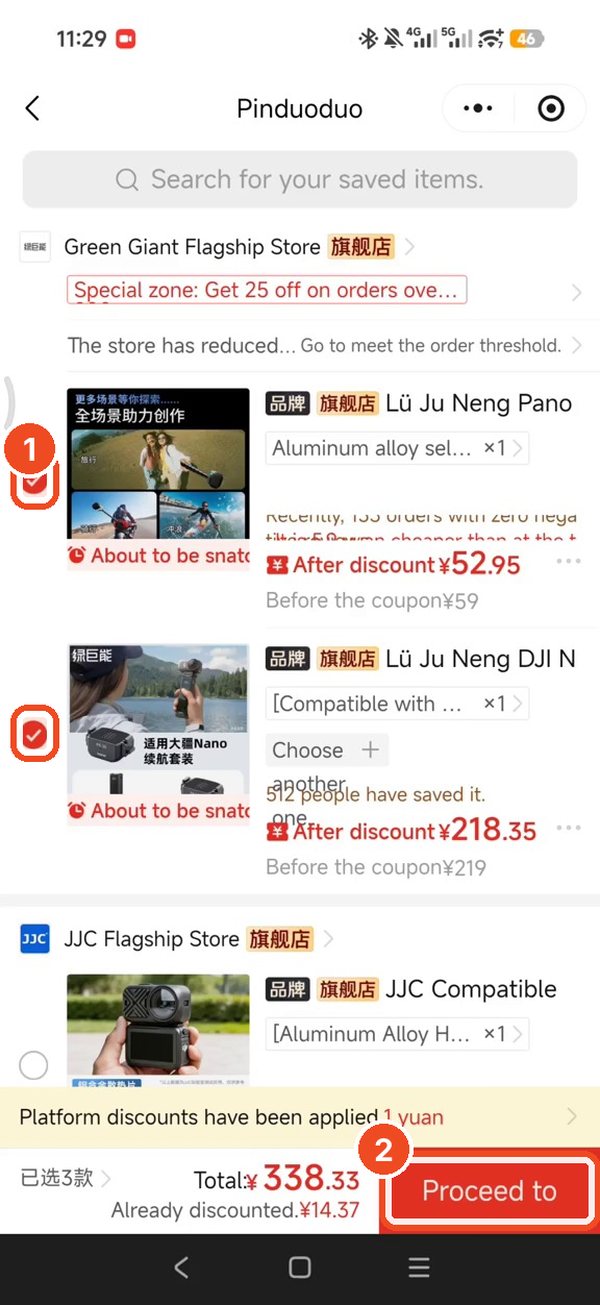
1. Tick what you want. 2. Tap Proceed to checkout. Check Weixin Pay, then Pay immediately
On the checkout screen, look at the payment row. I paid with Weixin Pay, which is WeChat Pay, and it was ticked on my order. Check the total, then tap Pay immediately. If you have not linked a card to WeChat Pay yet, do that at home first: my WeChat Pay guide shows how I did it.
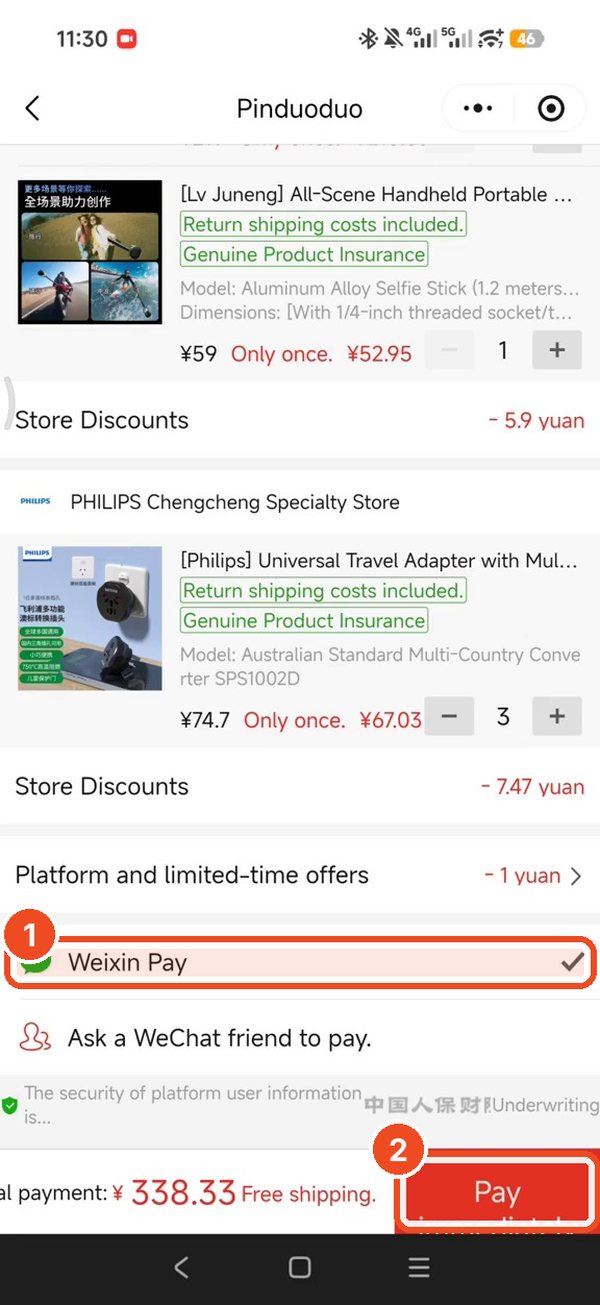
1. Check Weixin Pay is ticked. 2. Tap Pay immediately. Find your order under My orders
Back in Personal Center, the My orders row has your orders sorted into pending payment, to be shared, pending shipment, awaiting receipt and evaluate. This is where I look to follow an order after I have paid.
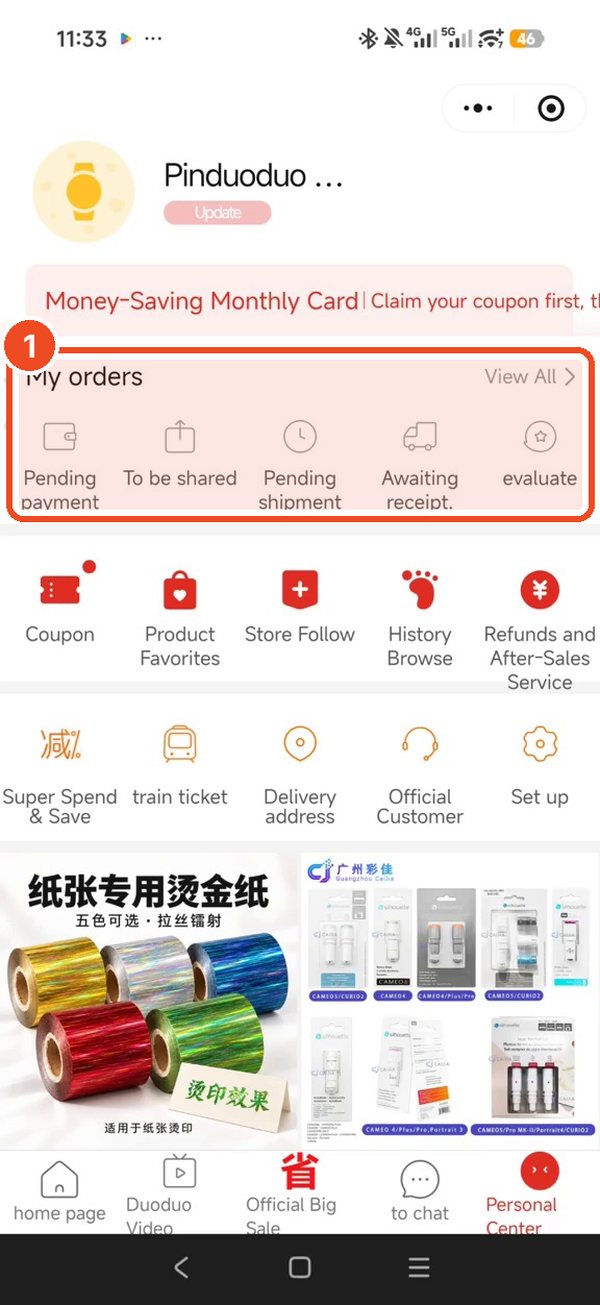
Your order lives under My orders.
My tips
- Check the seller's store for more things you need. Before you pay, tap the store name and look at what else they sell. If they have more of what you need, add it to the same order.
- Buy from one seller where you can. My tip is to order everything from the same store, because items from one seller can be packed together, so you get one box instead of many separate packages. Look at your own checkout screen to see how your order is split.
These are my own tips from using the app. I did not test how every seller packs, so check what your own checkout shows.